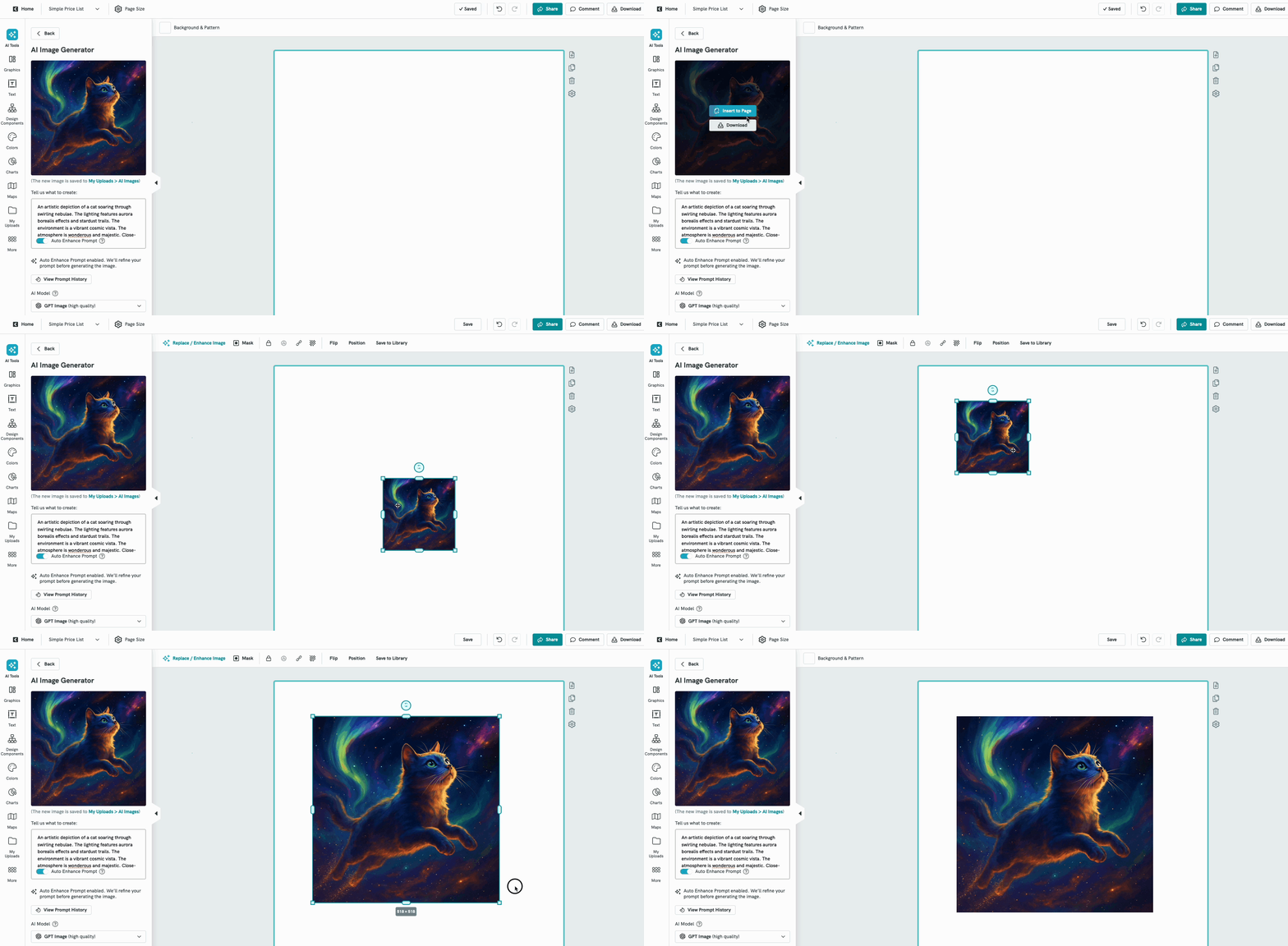
AI Prompt Enhancer
Prompt Enhancer is a smart feature inside Pikto AI AI that helps improve your prompt before generating an image.
Instead of needing to figure out the perfect wording yourself, Prompt Enhancer automatically expands your idea into richer, more descriptive prompts so the AI can produce stronger and more accurate results.
How to use Prompt Enhancer
In the Piktochart Editor,
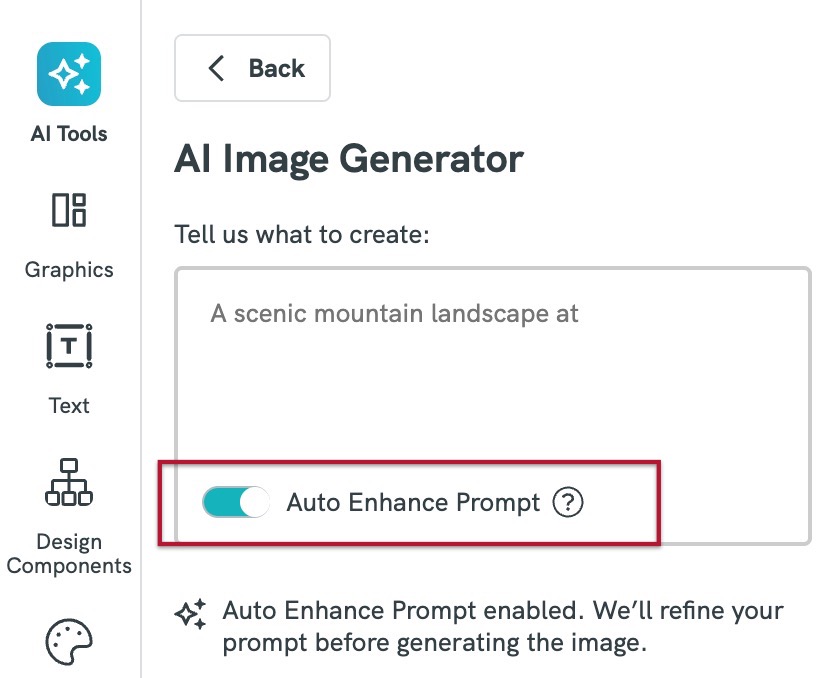
- Click AI Tools from the left panel and select → Image Generator
- Enter a basic prompt
- Example:
- A cat in the sky
- A modern office interior
- Toggle on Auto Enhance Prompt
- Click Generate Image
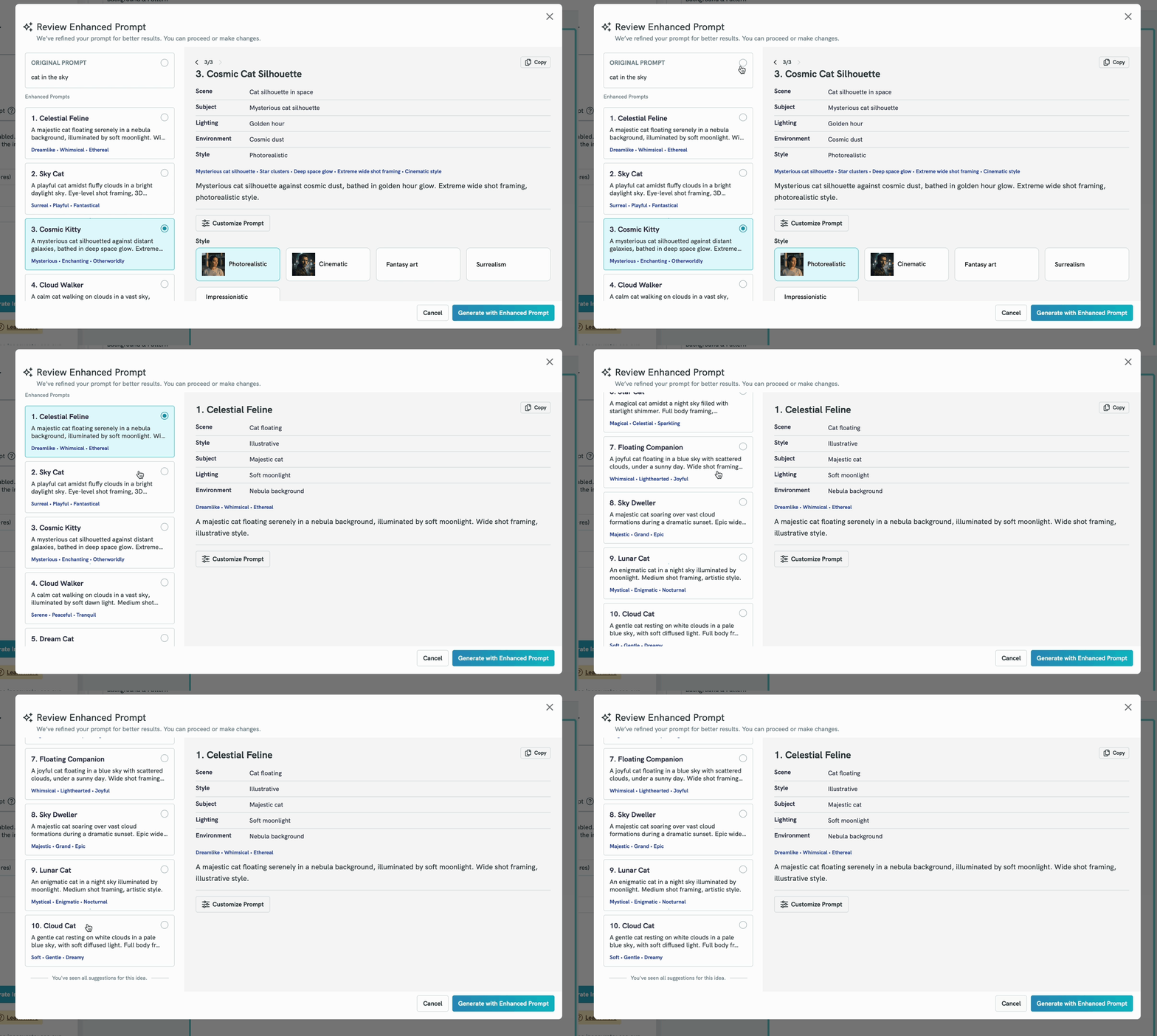
- The system will automatically generate 10 enhanced prompt variations based on your original input. Each version is designed to be more detailed, creative, and structured to improve image quality. For example:
- Click Customize Prompt to further customise it with styles, tone, or additional details. Click on the dropdown and make your selections accordingly.
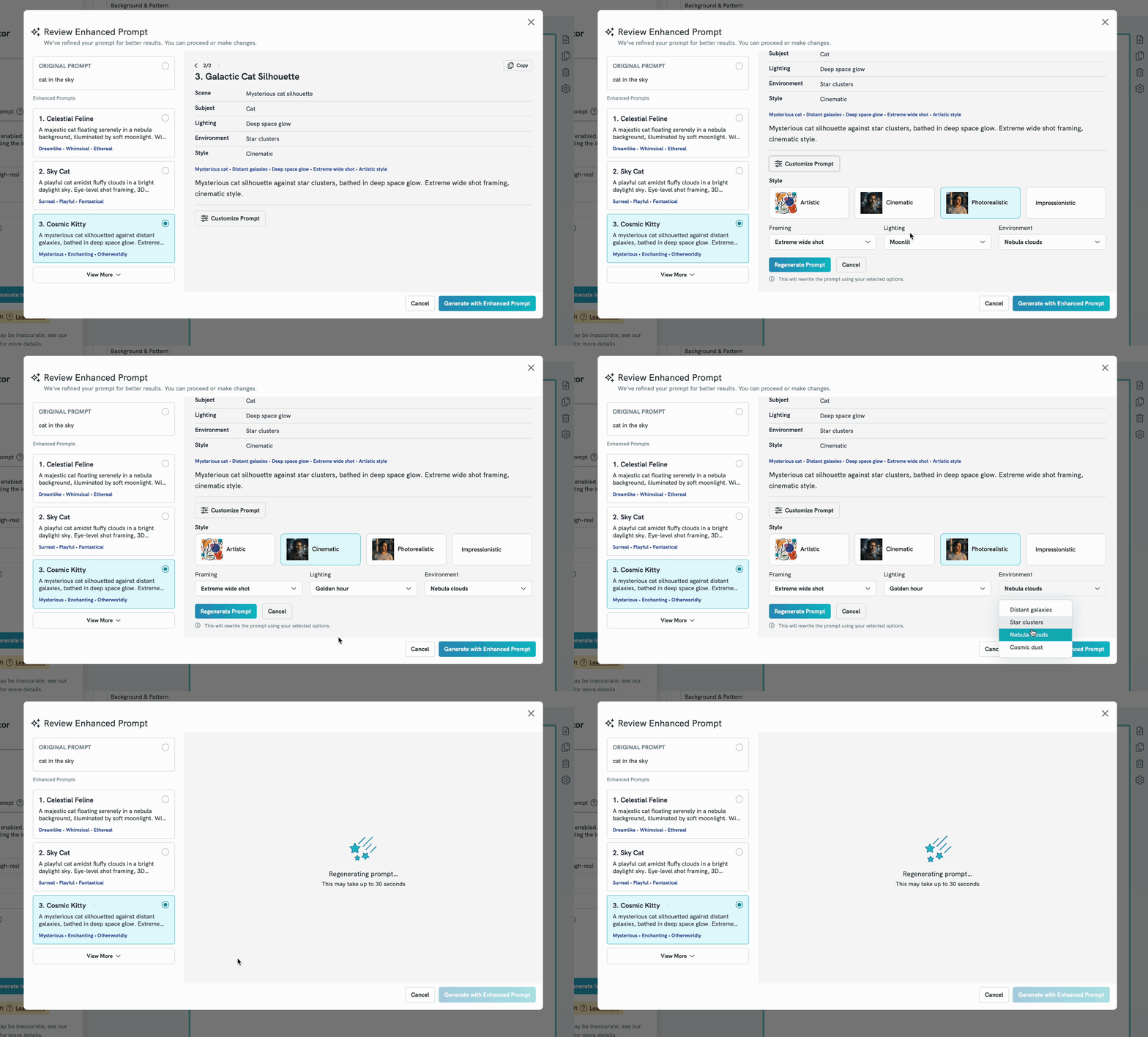
- Enhanced prompts may include improvements such as:
- Style (cinematic, realistic, illustration, watercolor, etc.)
- Lighting
- Composition
- Mood / tone
- Click Generate with Enhanced Prompt to save your preference.
- Image will be generated.
- You have the option to either Insert to Page or Download the Image or regenerate a new image again.