
How to Split a Video into Multiple Segments
How to Split a Video into Multiple Segments in Piktochart
Splitting a video into smaller segments allows you to edit specific parts more precisely, remove unwanted sections, or duplicate clips for creative use. Follow the steps below to split your video in Piktochart:
Steps to Split Clip
-
Go to your Dashboard
Log in to your Piktochart account and navigate to your Dashboard.
- Open or Create a Project
- If you already have an existing project, click on it to start editing.
- If not, click Create New and upload your video file.
-
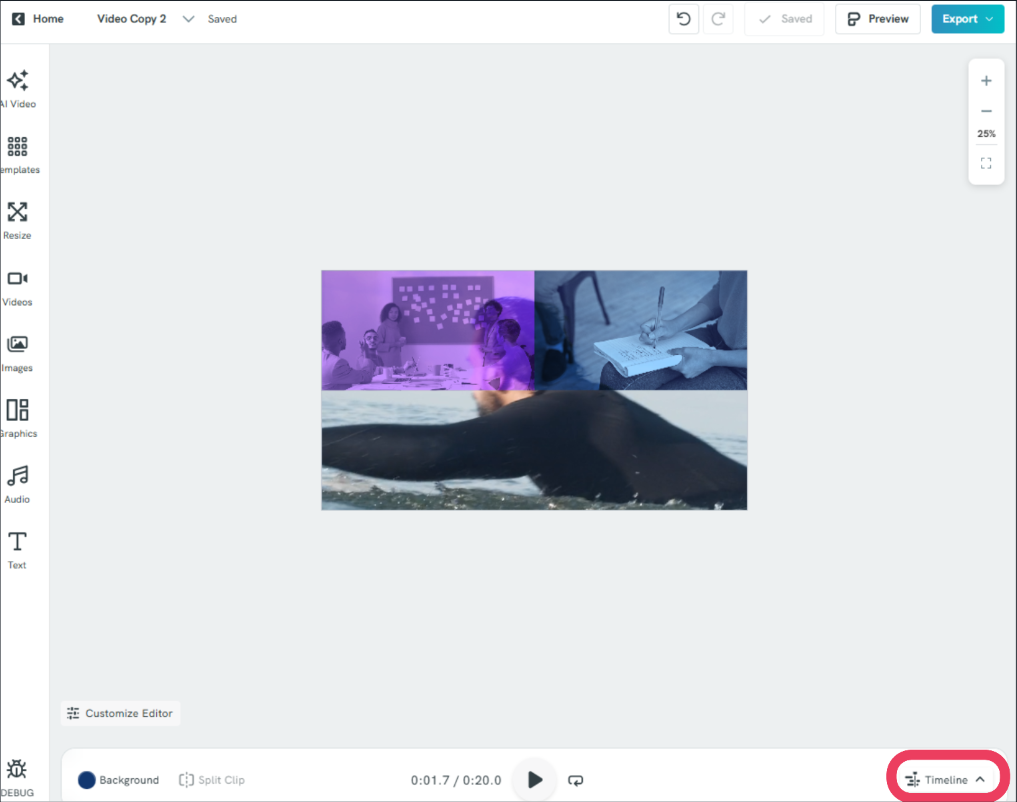
Expand the Timeline
Make sure the Timeline is expanded so you can clearly see all the clips in your project.
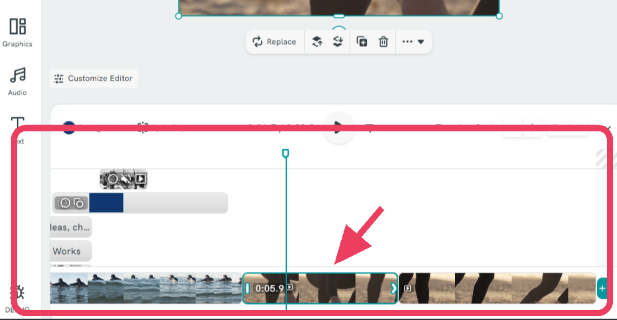
- Select or Add a Clip
- Choose the clip you want to split.
-
Alternatively, you can add a clip from your uploaded video file.
-
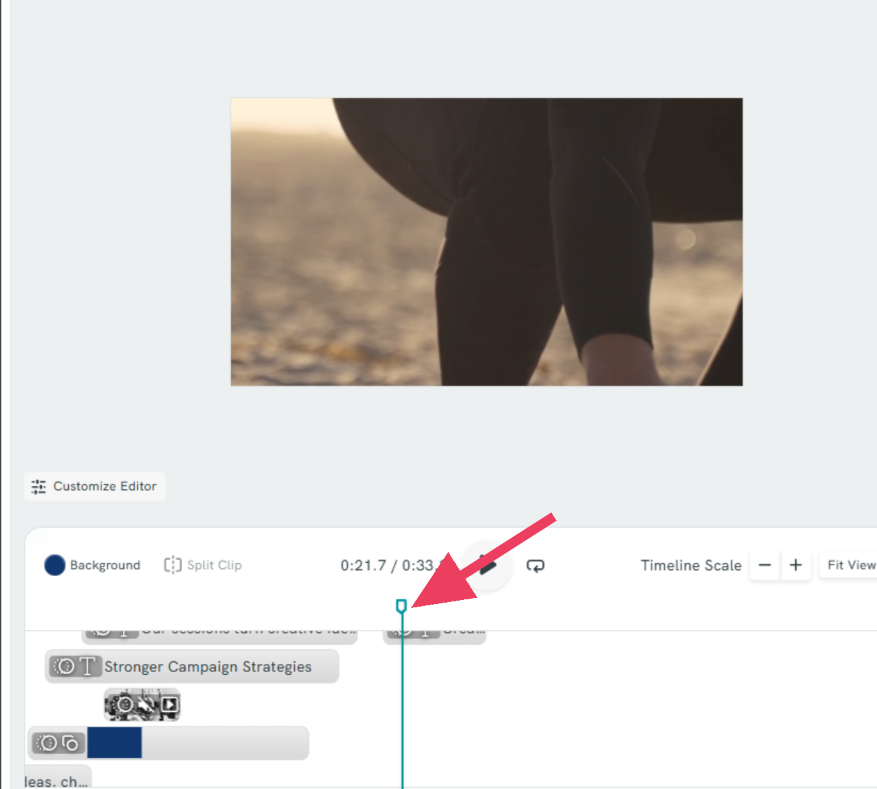
Position the Playhead
Drag the playhead to the exact point in the clip where you want to make the split.
-
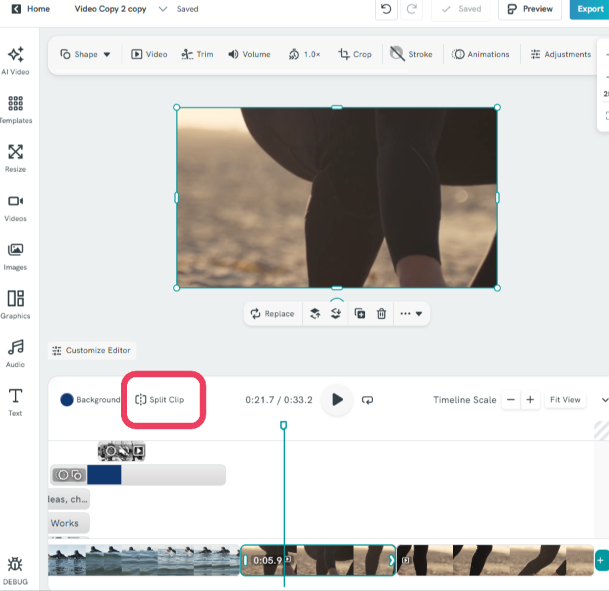
Click “Split Clip”
On the upper-left side of the Timeline scale, click the Split Clip button.
Manage Your Clips
After splitting, you can:
- Delete unwanted segments
- Keep both clips
- Duplicate the split clip if needed
-
Repeat as Needed
You can split the video multiple times by repositioning the playhead and clicking Split Clip again.
Tips
- Use splitting to remove mistakes or trim unnecessary parts of your video.
- Duplicate segments to reuse important scenes.
- Zoom in on the timeline for more precise cuts.
Common Questions
Can I undo a split if I make a mistake?
Yes. You can use the Undo option (Ctrl/Cmd + Z) to revert the split if needed.
Can I split a video into more than two parts?
Yes, you can split a clip multiple times by moving the playhead to different points and clicking Split Clip again.
Why can’t I see the Split Clip button?
Make sure your Timeline is expanded and that a clip is selected. The Split Clip option only appears when a clip is active.
Can I delete only part of a video after splitting?
Yes. After splitting, simply select the unwanted segment and delete it.
Will splitting reduce the quality of my video?
No, splitting a clip does not affect the original video quality.
Can I duplicate a specific part of my video?
Yes. After splitting the clip, you can duplicate the segment you want to reuse.
Is there a limit to how many times I can split a video?
There is no strict limit, but performance may vary depending on your device and project size.